Freedom 92 FM downloads available here are...
 A Windows Screensaver
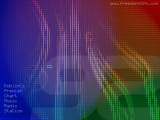
Multiple Windows background images
Freedom 92 FM jingles
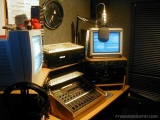
Freedom studio photos
Windows Screensaver:
Our exclusive new screen saver is now available for your Windows PC!
Just download the file for your screen resolution. When you run the file
you will be prompted to extract it to your Windows directory (typically
C:\Windows or C:\Winnt). You will then be able to choose it from the
list of screen savers in your display options. Enjoy!
Windows Background
images: Here's where you get the
chance to brighten up that plain Windows background on your PC! All 4
images below are available in the most popular screen resolution sizes.
How to install the background desktop images (Microsoft Windows
machines)
1. First find out how big your screen is (it's resolution). Minimise all
you open applications so you can see your desktop. Right click anywhere
on your desktop, a pop up menu will appear - select "properties". Go to
the "settings" tab (this should be the last tab). You should see a
setting which tells you your "screen resolution".
2. Come back to this webpage. Decide an image from the 4 above and click
on the download link that is appropriate for your screen resolution. If
your screen resolution is not listed, select the nearest one to it. The
background image will load into a new web page.
3. If you right click on this picture, a menu will appear. Select the
"set as background" option. This will set your Windows background to be
the one you have selected. You may now proceed to showing off your funky
new background image to everybody!
Freedom 92 FM Jingles:
Below is a selection of Freedom FM jingles which we have made available
for download exclusively on this web site. They are all in mp3 format,
so you will need an mp3 player installed on your PC to listen to them
(such as the free Windows
Media Player).
Freedom 92 FM Studio Photos:
|